AI Tools for Dance and Cultural Organizations: Where They Help and Where They Harm
Most dance schools, festivals and cultural associations – tango, salsa, folk, theatre or music – are run by a few people next to their teaching or day job. AI tools can take over part of the writing and organizing work. Used carelessly, they produce generic texts that sound like every other dance school and can even damage trust. This guide sorts the useful from the harmful.
Where AI helps
Class and workshop descriptions. Give the tool your facts – level, focus, teacher, dates, price, what to bring – and ask for a short, friendly description. Then rewrite the first sentence in your own words. The structure saves time; the voice stays yours.
Translations. Many dance and arts communities are international. A festival page in English, Spanish and the local language reaches far more dancers. AI translation is good enough for event details; have a native speaker check the key page once.
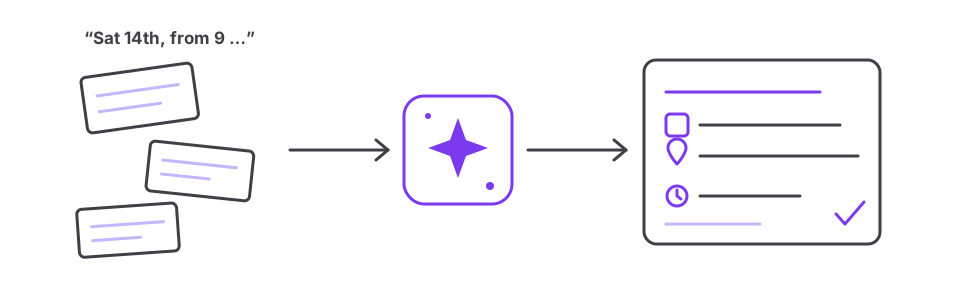
Event information in a consistent format. AI is good at turning a messy message (“Sat 14th, milonga from 9, DJ Ana, entry 12”) into clean, complete event data: date, start and end time, venue with address, DJ or orchestra, price, and a link. Consistent data is what search engines, event directories and AI assistants can read reliably.
Frequently asked questions. Collect the questions you get by message each week (Do I need a partner? Which shoes? Is there parking?) and let the tool draft short answers. A good FAQ page reduces repeated questions.
Image descriptions and accessibility. Short alternative texts for photos help visually impaired visitors and search engines. AI can draft them; check that they describe what is really in the picture.
Where AI does harm
- Invented biographies. Never let a tool “complete” a teacher’s career or titles. Inaccurate claims about competitions or teachers spread quickly in a small community.
- Fake reviews and testimonials. Generated quotes from “happy students” are deceptive and, in many countries, unlawful.
- Generated photos of people. Dancers want to see the real room, the real teachers and the real atmosphere. Use your own photos, with permission.
- Mass-produced pages. Dozens of near-identical pages (“Tango classes in every district”) add nothing for readers and can hurt how search engines rate your whole site.
Being found in AI answers
More and more people ask chat assistants or see AI summaries in search results (“Where can I dance salsa in Lisbon this weekend?”). These systems draw on information that is clear, consistent and publicly available. What helps:
- Your own website with the essentials on it, not only a social media profile, which many systems cannot read fully.
- The same name, address and times everywhere – website, maps listing, event directories.
- Dates on a page, not in an image. A flyer image alone is hard for machines to read; add the details as text.
- Up-to-date information. Remove past events or mark them clearly as past.
Checklist
- Facts first: write down level, dates, prices and teachers before asking an AI tool for text.
- Rewrite the opening of every generated text in your own words.
- Check every name, title and date by hand.
- No invented quotes, reviews or credentials.
- Use real photos with permission.
- Publish event details as text, with full address and times.
- Keep the same details on your website, maps listing and directories.
- Say openly when and how you use AI, if your readers would expect to know.
AI is one tool among many. How it fits into the bigger picture: The website as a hub and Choosing a CMS.